
Skitter for Mac
See what's holding your website back
Skitter crawls your website the way a search engine would and shows you what's wrong: broken links, redirect chains, missing titles, duplicate content, canonical and hreflang mistakes, and more than 130 checks in all, each with the evidence behind it.
Free for crawls of up to 500 URLs. For bigger sites, 1 week free, then $9.99 a month or $99.99 a year. Requires macOS 26 Tahoe or later.
Every problem on your site, ranked
More than 130 checks, each with why it matters and how to fix it. The issues overview puts the ones that matter most first, with how many addresses each one found.
Every check explained ›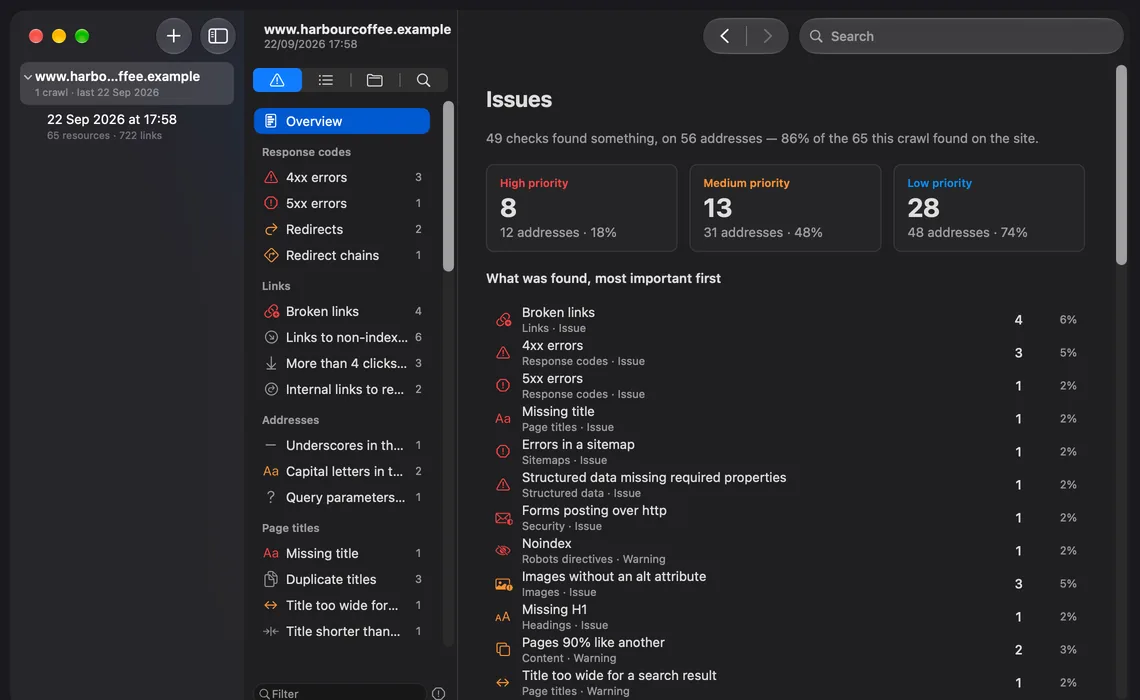
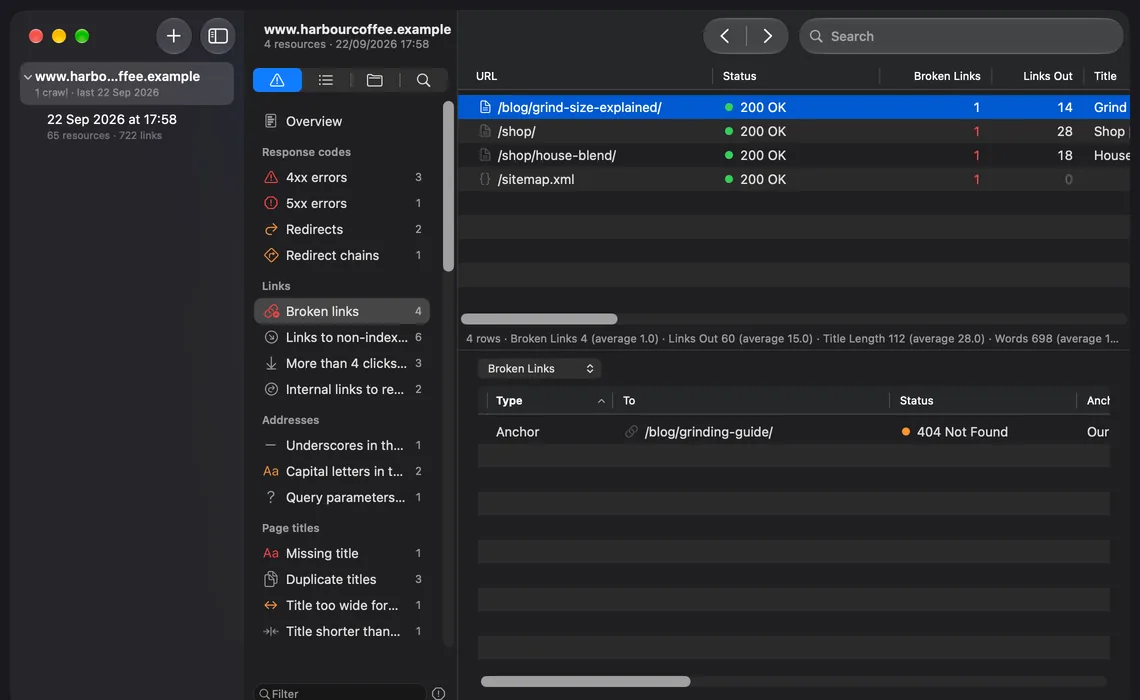
See the evidence behind every finding
Choose a check and see the pages it found, with the columns that explain why. Choose a page and see the link, the page it's on, and what the server answered.
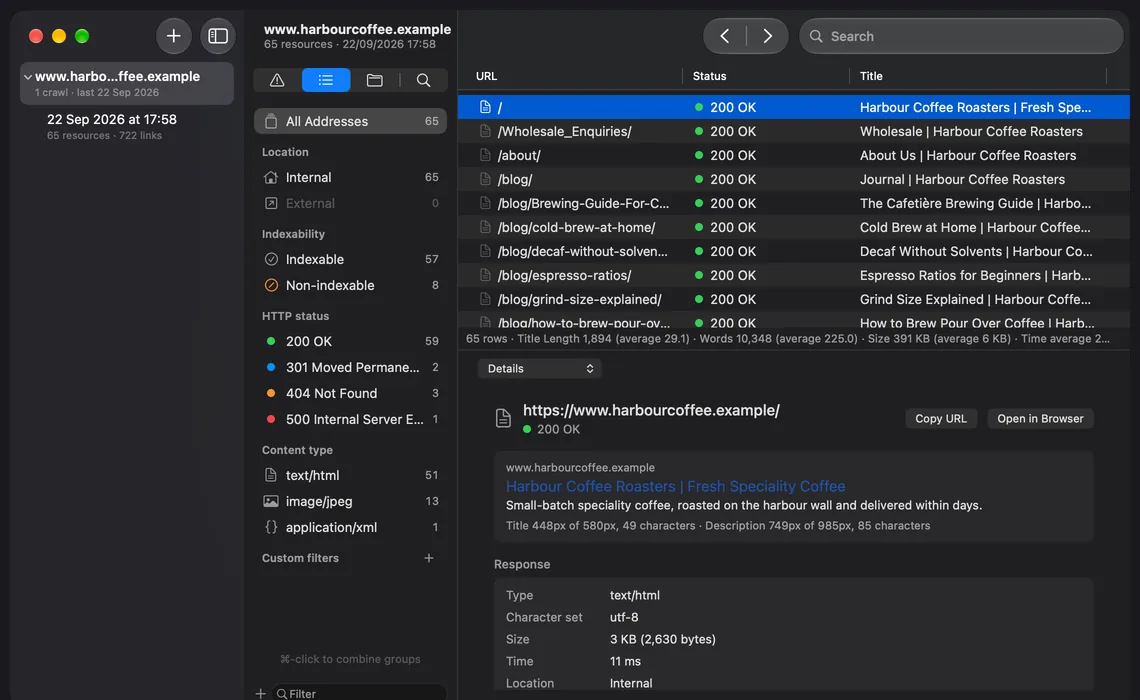
Every page, every detail
Status, titles, indexability, links and timing for every address the crawl found, sortable and filterable, with AND and OR, regular expressions and saved filters.
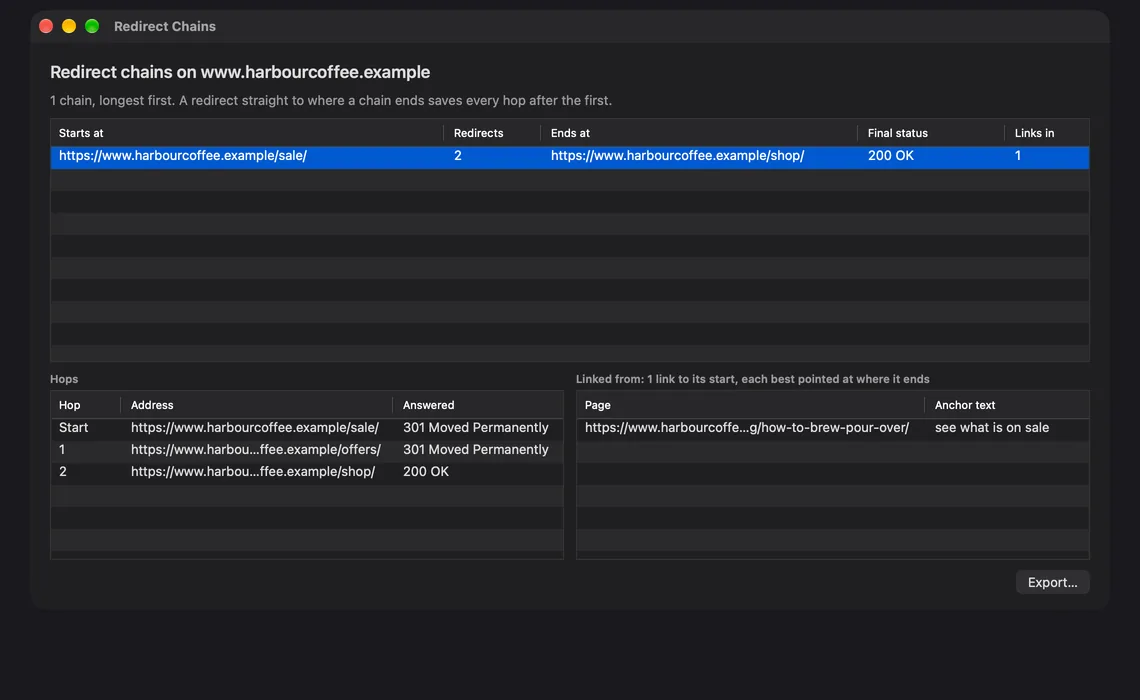
Follow every redirect to where it ends
Redirect chains hop by hop, with where each one ends, loops, and the pages that link to them.
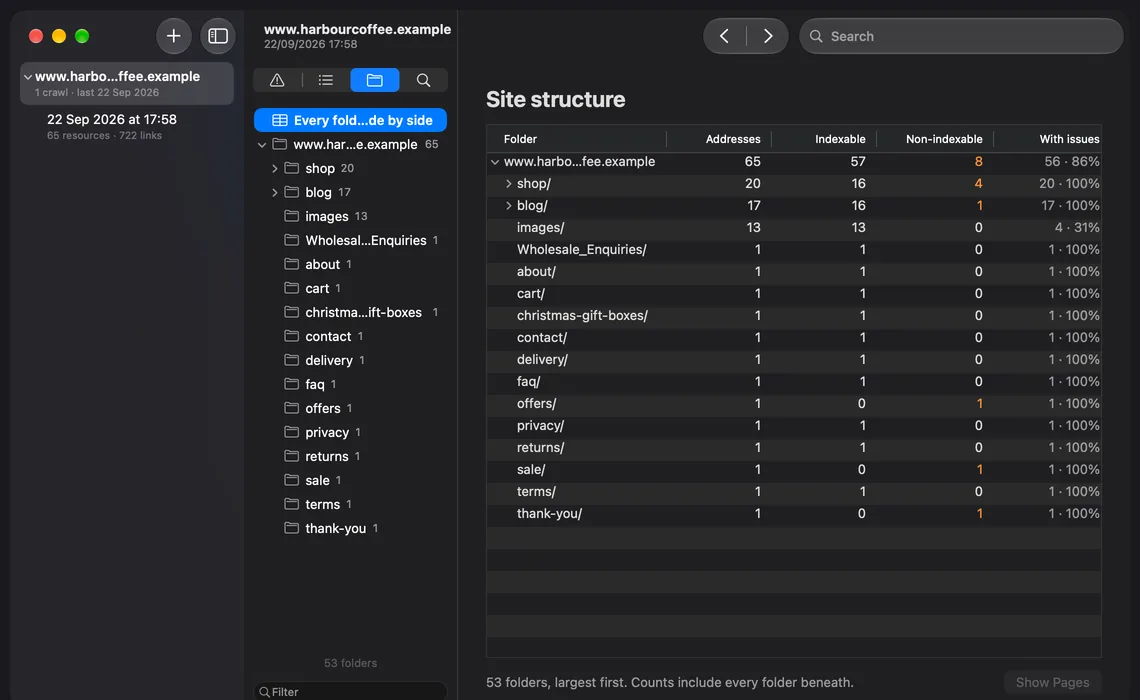
See how the site is built
The site as folders, with how deep each one goes and where the problems sit.
Everything in one Mac app
Crawl the way you need
- Fast HTML crawling, or full JavaScript rendering with WebKit, with screenshots and console errors
- Spider from a start address, or check a list of URLs or a sitemap
- Obeys robots.txt by default, with options to report or ignore what it blocks
- Control the speed, scope, include and exclude rules, user agent and headers
- Close the window and the crawl keeps going, with its progress in the Dock
- Schedule daily, weekly or monthly crawls, each compared with the one before
See what's wrong, and why
- Checks across response codes, links, titles, descriptions, headings, content, images, canonicals, hreflang, pagination, sitemaps, security, structured data, social tags, JavaScript and accessibility
- Every page marked indexable or not, with the reason. Indexable means nothing in the crawl prevents indexing
- Exact and near-duplicate content, spelling and grammar
- Ignore a check, or a single address, with a reason
Find your way around
- Navigators for Issues, Addresses, Structure and Find, with Back and Forward
- Open any site in your library with ⌘O, or from the Dock
- Filters with AND and OR and regular expressions, saved filters and segments
- Compare two crawls: new, fixed and remaining issues, and what changed
Share the results
- Export any table as CSV or XLSX
- Issues and crawl reports as PDF or HTML, with your logo and your client's name
- Bulk exports, and XML and image sitemaps
- Shortcuts actions to crawl a site and get its issues
Private by design
- Your crawls, settings and passwords stay on your Mac
- No analytics, and nothing is sent to its developer
- Built for crawls of 100,000 URLs and more
Free for smaller sites
Crawls of up to 500 URLs are free, with every check, export and report. A bigger site's crawl stops at 500 and is saved; one subscription carries it on, with schedules and Shortcuts. Both plans start with a week free.
Free
$0
Crawls of up to 500 URLs
Monthly
$9.99 a month
After a 1-week free trial
Yearly
Save 16%$99.99 a year
After a 1-week free trial
Free, for crawls of up to 500 URLs
- Every check, with the evidence, why it matters and how to fix it
- HTML or JavaScript crawling, list mode and every crawl setting
- Crawls saved in your library, and compared with each other
- Every export, report and sitemap
With a subscription
- Crawls of any size, and free crawls carried on from where they stopped
- Schedules that crawl on their own, each compared with the crawl before
- Shortcuts actions to crawl a site and get its issues
Prices in US dollars; the App Store shows the price where you are. A subscription renews automatically until you cancel it in your Apple Account settings. See the terms of use.